
The 10 Best
 MarketEnabler

One of the most frequent excuses for piracy has to be "The app isn't available in my country" or "Google doesn't allow paid apps where I live." No longer!
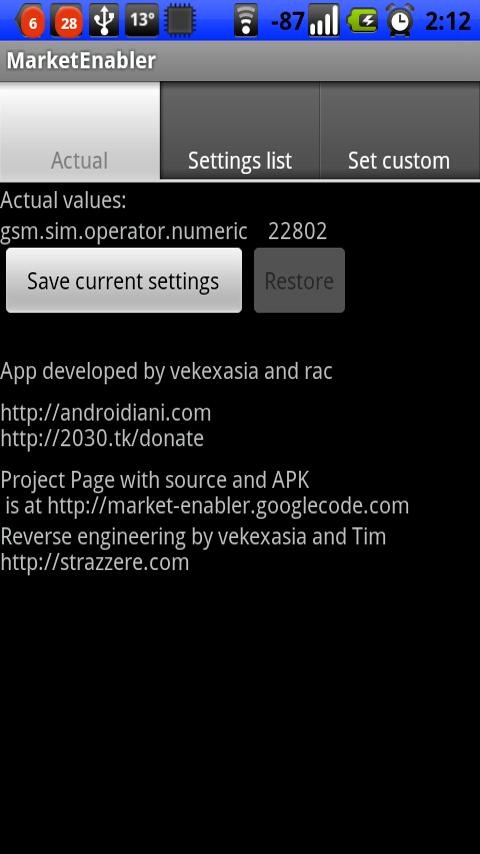

MarketEnabler makes your Android phone believe it's on another carrier - perhaps even one in another country. For example, a Swede could use this app to access Google Books, which is, by official terms, available exclusively in the US. Neato, right? If it's up your alley, you can grab it using the QR code or the Market/AppBrain links below.


 Samba Filesharing

Hate wires? Who doesn't? This is 2011, after all.
Well if you answered the affirmative to that question, funkyFresh might just have the app for you: it's called "Samba Filesharing," and it allows users to access their Android device(s) over WiFi as a Windows shared folder.

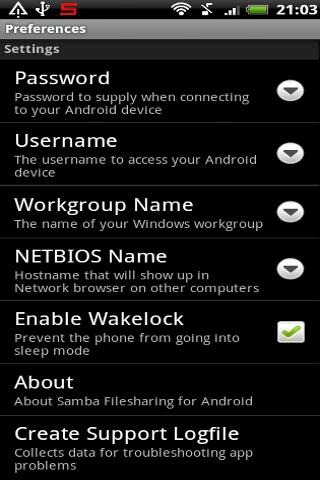
With this free app, you can wirelessly copy files to/from your Android device via the same drag-and-drop interface you use when your handset is plugged into your computer with a standard USB cable. Even security freaks have a reason to celebrate - Samba offers customizable username and password options in addition to letting users choose a Windows workgroup name and a device network (NETBIOS) name. It's free, so be sure to give it a download - you know where to find the QR code and Market/AppBrain links.


 SD Maid

It's bound to happen sooner or later - the puny SD card your phone came with has run out of space. What can you do? "Delete the unnecessary files on it" would likely be the most ubiquitous answer, but with SD Maid, you'll be able to free up space on that sucker without having to get rid of your digital belongings.


SD Maid frees up space on your phone's SD card by cleansing it of "corpses in the basement," or unnecessary data left behind by apps no longer installed on your device. It works with all Androids currently on the market, though the process is a bit different for Samsung handsets, hence the "Samsung" tab. Read our thorough write-up to get the full scoop or proceed to download it using the means provided below.
SD Maid
 |


 AutoKiller Memory Optimizer
Slow performance can be enough to cause even the most patient of Google fanboys to throw their handset against the wall, but as any self-respecting Android nerd will tell you, most task killers haveserious issues of their own.

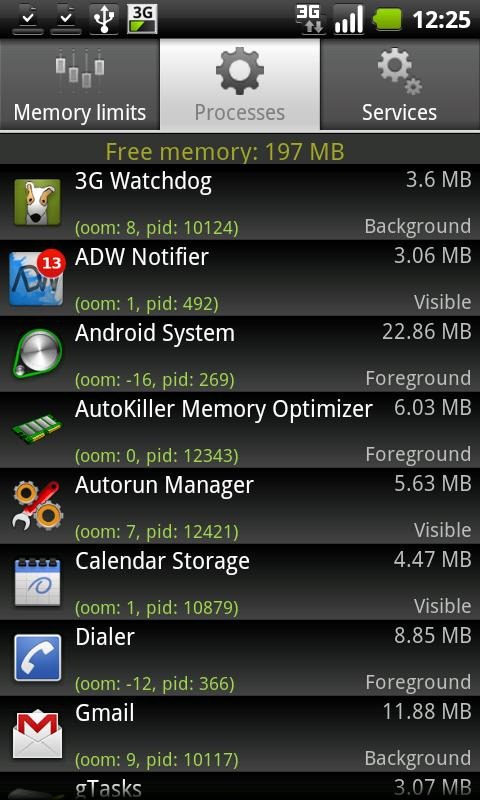

Enter AutoKiller Memory Optimizer, a task killer unique in its ability to tweak Android's inner memory manager. With it, users can allocate custom amounts of RAM to different app states (i.e. foreground, visible, hidden, etc.). In addition to this and the ability to kill processes, AutoKiller offers the same functionality buried deep in Google's own Settings app: annihilating services.
Donators are also able to choose alternate presets, enter Chuck Norris mode, and enjoy an ad-free experience.
Have at it via the QR code or the Market/AppBrain links below.
AutoKiller Memory Optimizer
|


 zMooth root

In the same vein as Button Savior, zMooth aims to reduce your dependence on your Android device's hardware buttons (home, menu, back, and search). Unlike Kiumiu.CA's offering, however, zMooth relies on webOS-like gestures rather than clunky virtual buttons.
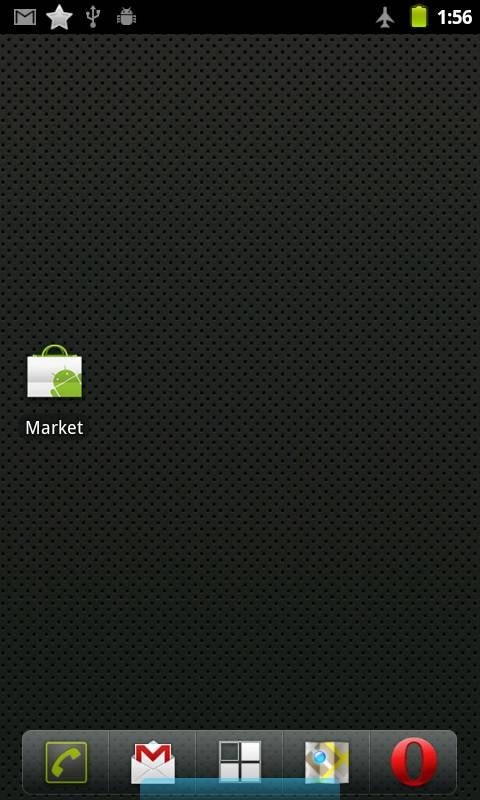


To access zMooth, users can start by simply pulling up a blue (by default) bar from the bottom of the screen. To go back, they can swipe left; swiping right is equivalent to pressing the Menu button; and drawing an "up-arrow" (see the last screenshot) will return them to the homescreen.
The $1.19 pro version adds the ability to change the gesture area's width and colors as well as a "lightning strike" gesture for powering the device on/off.
But why would you bother learning these gestures when you could simply give one of the aforementioned hard keys a tap? SimpleMobDev, zMooth's developer, makes an argument we'veheard before: physical buttons wear out over time (though the jury is still out on the veracity of this claim), and on devices with backlit keys, this app might even improve battery life, as the circuits and lights won't constantly be turning on and off. Test it out for yourself by scanning one of the two QR codes below (or simply clicking one of the links).


zMooth Lite * root
|


 LCDDensity

Changing the LCD density of an Android device used to entail digging around in hidden directories and changing properties in secret files. Today, however, downloading the free LCDDensity app is all that's necessary.

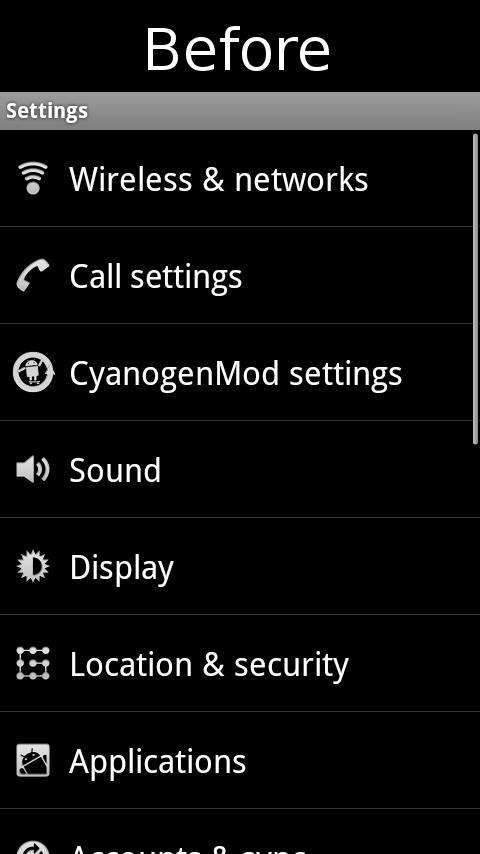
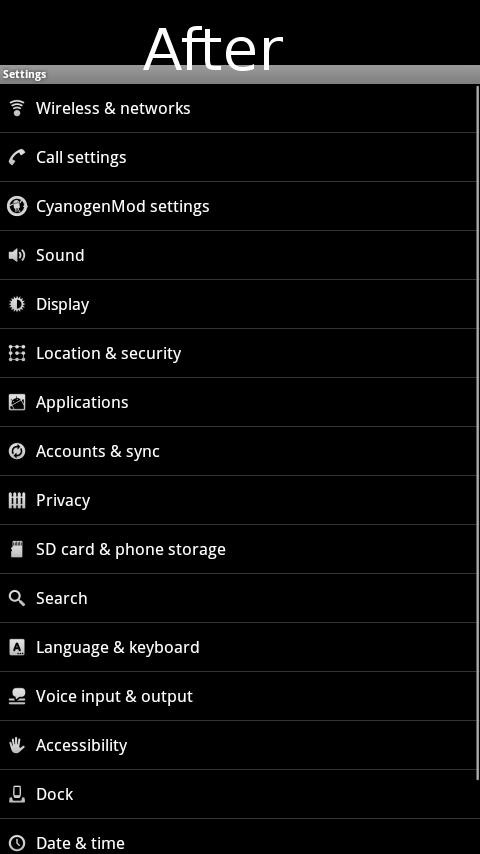
Using the app is child's play - simply adjust the slider or click on one of the big rectangular buttons to alter the density, then click 'Apply' to restart your device and see the changes in effect. Of course, the smaller the font, the harder it is to press onscreen objects; the larger the font, the more screen space goes to waste. The choice begins with the QR code and the Market/AppBrain links below.
LCDDensity for Root
|


 Keyboard Manager
When it comes to landscape keyboards, it'd be hard to top what HTC has going with Sense UI. If it's portrait input you're after, however, Swype is the cream of the crop. So how can you decide? Should you manually change your input method each and every time you switch orientations, or type exclusively in one position? As it turns out, you won't have to partake in either of those practices; downloading Keyboard Manager will suffice.
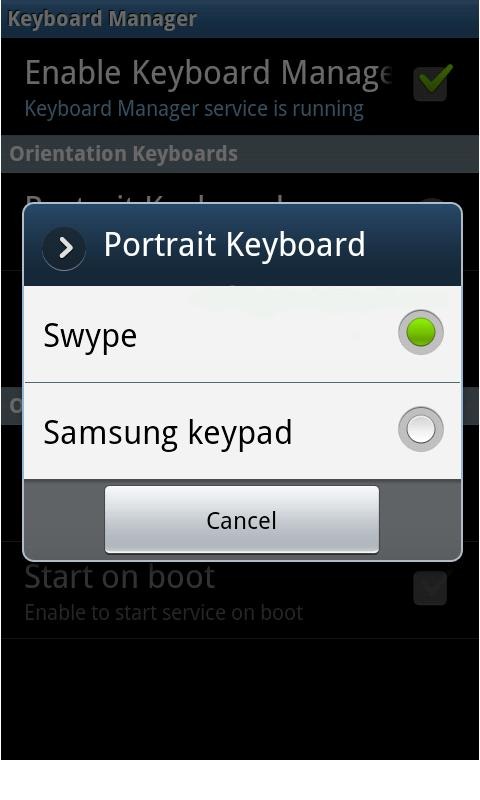

The app's premise is simple: allow consumers to use one keyboard in portrait mode and another when they turn their phone on its side. Execution is good too, as evidenced by all the positive feedback in the Market.
Indeed, just about the only caveat is that several users have reported installation issues on theATRIX - follow these instructions should you experience such problems.
As always, the QR code and the Market/AppBrain links follow.
Keyboard Manager (root users)
|


 Live dmesg boot ani and live logcat boot ani

While this pair of shenanigans aren't about to win any awards for practicality, they're fun apps to have nonetheless - what Linux nerd could say no to being shown the real dmesg (kernel debug) or logcat (Android debug) log every time his/her device boots up?
Even at the "price of one beer" (developer's words), the duo manages to stand out from the crowd - they're no pre-recorded BIOS simulation; rather, they're live representations of the code that makes your handset tick. Better yet, the two apps integrate with each other quite well - if you have both installed, you can choose to run either one or the other at boot, or even run them side-by-side in split-screen mode. "Ubergeeky"? You bet - for evidence of that, look no further than the QR codes and Market/AppBrain links below.


Live logcat boot ani
|


Top 10 Android Apps that Make Rooting Your Phone Worth the Hassle
Android phones are spectacular little devices because they're able to so much that others simply can't, but one big snag in that greatness is that many of those best features require that the phones be rooted. Whether you plan on installing custom ROMs or not, you may want to root your phone just to use the great apps that require root access. Here are the ten most essential apps available for Android that require root.
Rooting, for those of you that don't know, means giving yourself root permissions on your phone. It's similar running programs as administrators in Windows, or running a command with
sudo in Linux. With a rooted phone, you can run more apps or install custom versions of the Android operating system. Note that there's a big difference between installing a custom ROM on an Android phone and just rooting it. Custom ROMs may offer plenty of features that aren't available direct from the manufacturer, but most of them can be added to a rooted phone by simply installing the right apps. That's what we're after today.If you haven't rooted your phone yet, but would like to know more about the process, be sure to check out our always up-to-date guide to rooting Android phones.
Superuser Allows Other Apps Root Access
 Superuser is the first app a user should install after rooting, if the rooting method didn't do it already. "Rooting" a phone allows a user to establish total control over the device, but Superuser is the app that provides the button for that control. With Superuser installed, any app that needs root privileges to run will have to ask permission, and an informative pop-up will display with the option to give it those privileges. This app is an absolute must for any of the other apps on the list to even run.
Titanium Backup Automates System Backups
 Titanium Backup is an enormously useful app. Not only can it backup apps, but it can backup apps and all their data, and it candelete apps—even system apps or bloatware. Making regular backups of all your apps (and their data) can ensure that if you everreally screw up, say in trying to install a custom ROM, that you can still have everything the way you left it should you need to wipe the entire phone and start from scratch. For more detailed information, see our full guide on using Titanium Backup.
ShootMe Takes Screenshots with a Shake
 It's a sad fact that Android ships with no way to take screenshots. ShootMe is an extremely simple, user-friendly app that rectifies that situation, but it needs the phone to be rooted first. ShootMe's greatest feature is that it allows you to choose from several options in deciding what the trigger should be for the screenshot to take place—whether it's shaking the phone, covering the light sensor, or just yelling at it (my favorite).
Metamorph Applies Visual Themes to Anything
 Metamorph is a small app that allows you to theme any part of Android by applying simple patch files. Learning how to make your own themes isn't exactly the easiest thing in the world, but most users don't bother—there are plenty to choose from, made by other users who are absolutely nuts about theming. Parts of the system that can be themed by Metamorph include the lockscreen, menu screens, individual apps, or just about anything else that's ever displayed on the screen. It's all possible.
Adfree Blocks Ads Anywhere on Your Phone
 Adfree may actually be the greatest root-essential app available on Android, and it's one that you never see unless it needs updating. All Adfree does is block ads, but it does it for everything on the phone. Since the app works by blocking ad-serving sites at the IP address level (by modifying the phone's Hosts file), it doesn't slow your system down, and it does a remarkably good job. Even if you don't mind ads in your browser, using Adfree makes "free" apps from the Market much more tolerable, since most of them have pop-up ads that tend to ruin the experience otherwise.
SSH Tunnel Encrypts All Internet Traffic on Your Phone
 Recently mentioned SSH Tunnel is an app that allows an Android phone to connect to the internet using an ssh tunnel for a completely secure connection. It's great for those times when you've got no data signal, stuck at work or a coffee shop that only has public Wi-Fi available, and you need to be sure that nobody is snooping your sensitive personal information as you connect to sites like Gmail or Facebook.
Tasker Can Automate Almost Any Task
 Tasker by itself doesn't require root privileges to run, but some of its more impressive features do. Giving Tasker room to do what it does best is definitely a good thing, since itcan practically automate your entire phonegiven the right amount of power. Rooting your phone is the only way to give it that kind of access.
SetCPU Controls the Speed and Behavior of Your Phone's Processor
 SetCPU has been, is still, and will probably be for quite some time the de facto tool for controlling a rooted Android phone's processor speed. SetCPU allows the user to exert total control over how fast, or slow, the processor runs at any given point in time. As an example, SetCPU can force the processor to sit at its lowest setting whenever the screen is turned off, but to use a range between 240MHz and 806MHz as needed while the phone is awake. For phones that have the ability to drastically overclock, SetCPU can help ensure that they don't overheat by keeping watch on the temperature, and acting accordingly. Overclocking or not, battery savings and overall performance can be greatly enhanced using this app.
Busybox Adds True Linux Commands to the Android System
 Busybox is often called "the Swiss Army Knife of Embedded Linux," because that's what it basically is. It's not an actual app that you run, but instead provides all the Linux/UNIX commands that we know and love. Without the commands installed, the barebones "Linux" that Android runs on top of can't really do too much, making apps likeTerminal Emulator nearly worthless.
Wireless Tether Turns Your Phone into a Wi-Fi Hotspot
 Finally, Wireless Tether. For many users, this feature is the single most important thing in the world of mobile devices, so having the ability to use it is a must. Wireless Tether turns an Android phone, regardless of carrier, into a full blown W-Fi hotspot for any nearby devices that need one. It's as simple as that, but only rooted phones can use it.
There are plenty of other apps out there that only work with rooted phones, and it doesn't seem likely that the carriers are ever going to allow phones on their networks to sell with root capabilities baked in. If you want the added functionality of these apps, there's just no way around it. You've got to go rooted. So, if you're convinced, head over to the rooting guide to see what's required to set your phone free.
Know of any other great apps for rooted Android phones? Have a personal favorite that's not on the list? Share them in the comments!

No comments:
Post a Comment